CVE-2026-32996 Veeam Agent Local Privilege Escalation
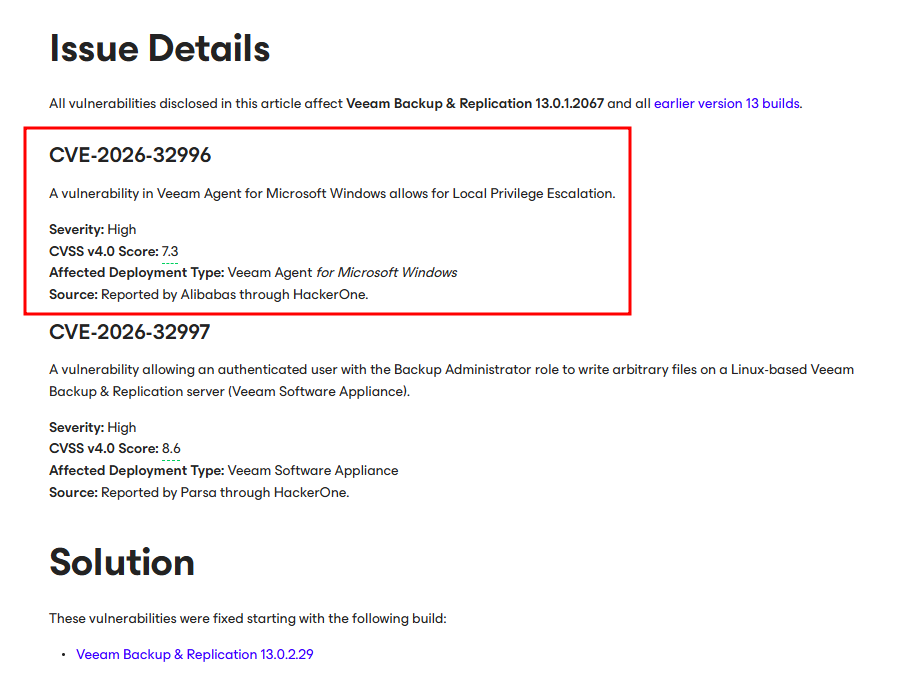
A vulnerability in Veeam Agent for Microsoft Windows allows for Local Privilege Escalation.

Introduction
Welcome back to another Veeam blog post.
This time, we’re looking at CVE-2026-32996 in Veeam Agent for Windows which is a simple solution for backing up Windows based desktops, laptops and tablets. CVE-2026-32996 features a Local Privilege Escalation from a low privileged local user to NT SYSTEM. This vulnerability was reported by Alibabas through HackerOne. Veeam advisory tells us that it affects version 13.0.1.2067 (agent version 13.0.2.1102) and below also fully patched at 13.0.2.29 (agent version 13.0.3.1220).
Let’s get started!
VeeamEndpointBackupSvc
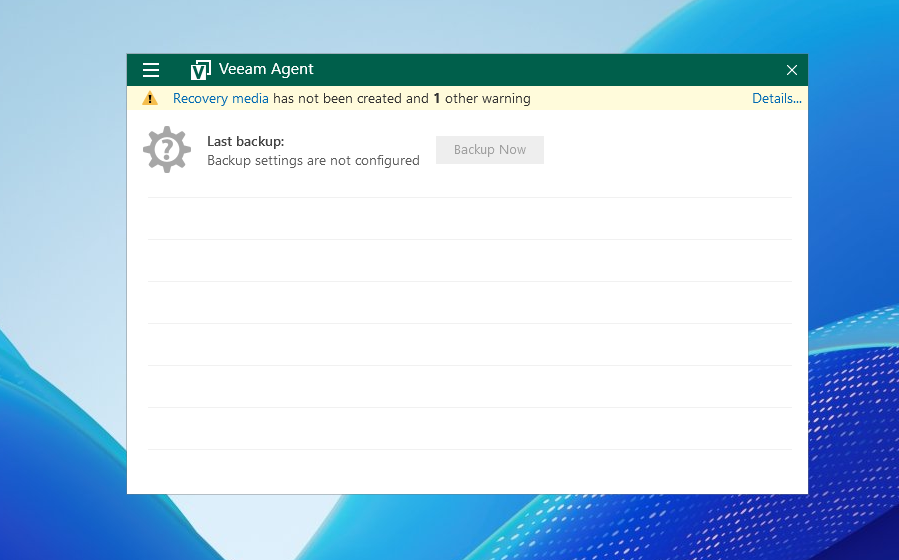
Veeam Endpoint Tray is the main application window for Veeam Agent. Using this window, we are able to communicate with the main service, VeeamEndpointBackupSvc.
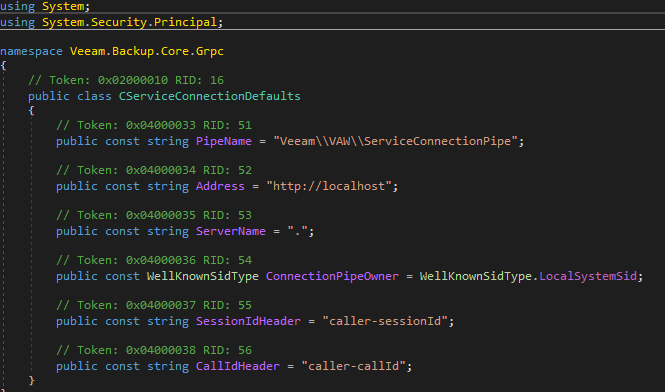
VeeamEndpointBackupSvc hosts the whole agent control plane as gRPC over \\.\pipe\Veeam\VAW\ServiceConnectionPipe, sending every UI action through this pipe.
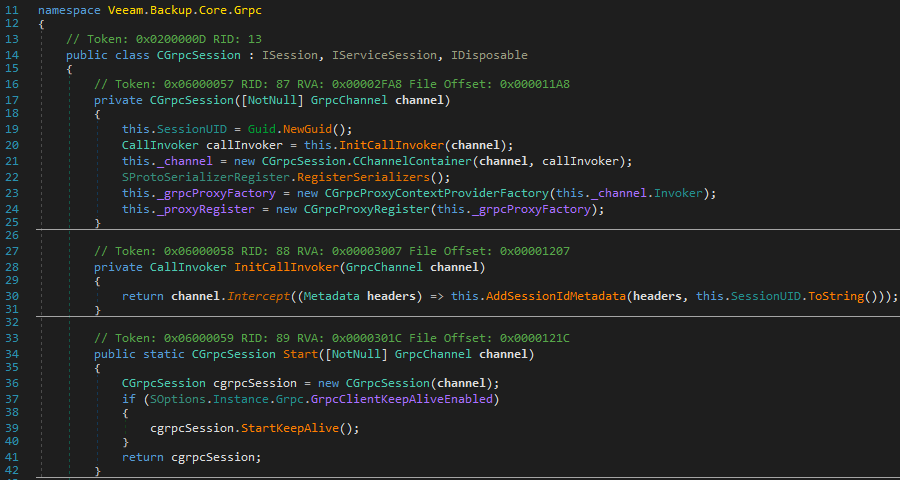
Before a user connects to pipe, a new CGrpcSession object is generated using Start() on the client site. (Line 36)
This CGrpcSession object creates a unique UID for the session using Guid.NewGuid(). (Line 19)
This header is stamped on every call as HTTP header caller-sessionId. (Line 30)
Any local user is able to connect to ServiceConnectionPipe pipe but clients over network are killed as the API is local-only.
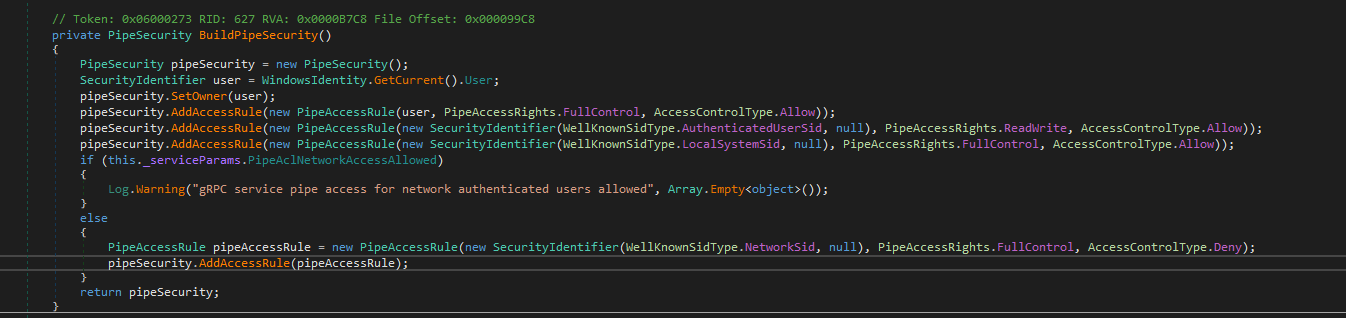
When a user connects to the pipe, first CNamedPipeClientIdentityProvider gets the client’s identity using GetNamedPipeClientPrincipal() and sends it to CPermissionAuthorizationHandler.
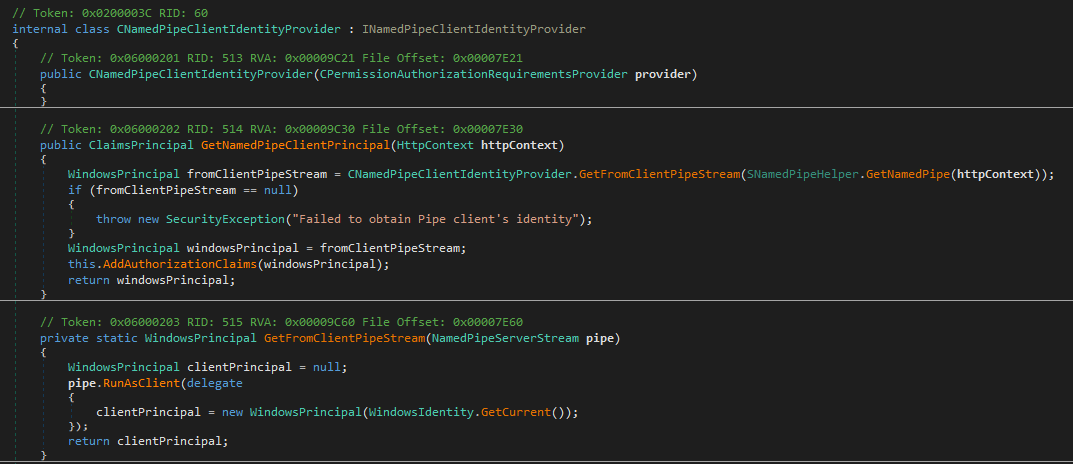
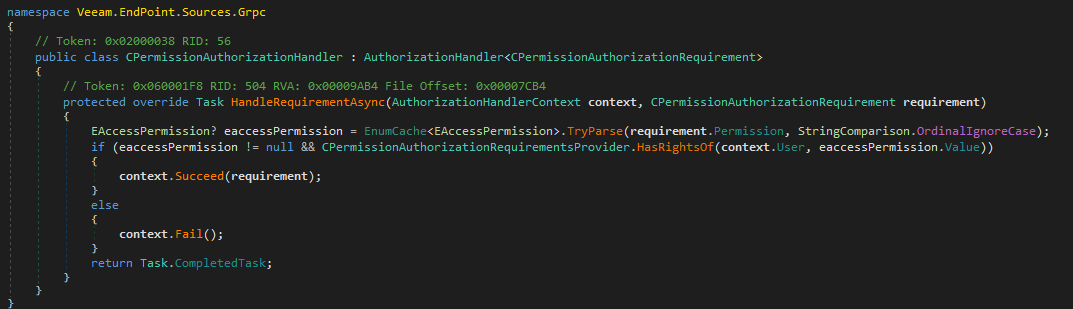
Then, CPermissionAuthorizationHandler maps the user’s rights to one of the values inside the EAccessPermission enum using HandleRequirementAsync() method.
1
2
3
4
5
6
7
8
9
10
11
public enum EAccessPermission
{
	// Token: 0x0400009A RID: 154
	User,
	// Token: 0x0400009B RID: 155
	BackupOperator,
	// Token: 0x0400009C RID: 156
	Administrator,
	// Token: 0x0400009D RID: 157
	System
}
Finally, every method (e.g license management) is gated by CAuthorizationPermission(EAccessPermission.x), which determines the minimum privileges required to invoke the method.
1
2
3
4
5
6
7
8
9
10
11
12
13
14
15
16
[CAuthorizationPermission(EAccessPermission.BackupOperator)]
public Task<EndpointLicenseService_SetLicenseResponse> SetLicense(EndpointLicenseService_SetLicenseRequest requestArg, CallContext context = default(CallContext))
{
	Func<Exception, Task<EndpointLicenseService_SetLicenseResponse>> func = (Exception exception) => Task.FromResult<EndpointLicenseService_SetLicenseResponse>(new EndpointLicenseService_SetLicenseResponse
	{
		Exception = exception
	});
	return this._executor.Execute<EndpointLicenseService_SetLicenseRequest, EndpointLicenseService_SetLicenseResponse>(delegate(EndpointLicenseService_SetLicenseRequest request)
	{
		CGetLicenseResult cgetLicenseResult = this._service.SetLicense(request.License, request.UserName);
		return new EndpointLicenseService_SetLicenseResponse
		{
			Result = ((cgetLicenseResult != null) ? cgetLicenseResult.Serialize() : null)
		};
	}, requestArg, func, context.CancellationToken, context);
}
Session Elevation
To let a UAC filtered UI act as administrator, Veeam Endpoint Tray uses session elevation.
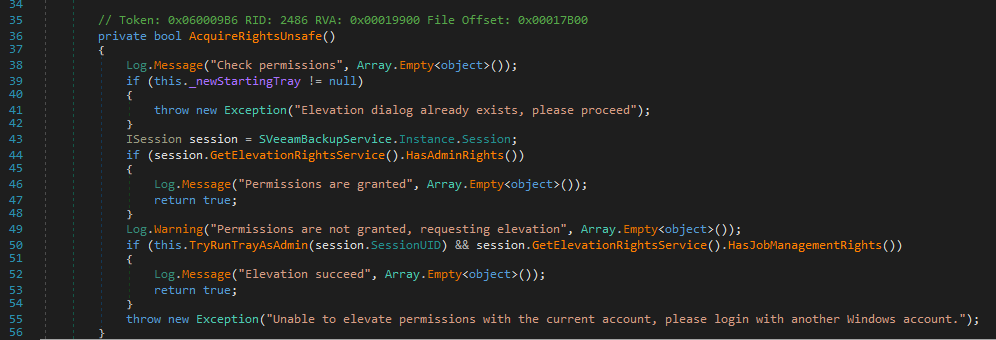
When a privileged method is invoked (like SetLicense() above), AcquireRightsUnsafe() function is ran to check user permissions.
It uses 2 important methods, HasAdminRights() and TryRunTrayAsAdmin().
HasAdminRights() checks for admin rights and returns true or false. (Line 44)
If false is returned, it calls TryRunTrayAsAdmin() with the SessionUID. (Line 50)
HasAdminRights() method uses CheckPermission(). (Line 4)
1
2
3
4
5
[CAuthorizationPermission(EAccessPermission.User)]
public Task<HasRightsResponse> HasAdminRights(EmptyRequest request, CallContext context = default(CallContext))
{
	return this._executor.Execute<HasRightsResponse>(() => this.CheckPermission(this.<contextAccessor>P.HttpContext, EAccessPermission.Administrator), context.CancellationToken, context);
}
And CheckPermission() method gets the session UID for current context (Line 4), gets the principal for the UID (Line 13) and compares it to requiredPermission (Line 15).
Basicly, session UID determines the privilege.
1
2
3
4
5
6
7
8
9
10
11
12
13
14
15
16
17
18
19
20
21
private HasRightsResponse CheckPermission(HttpContext httpContext, EAccessPermission requiredPermission)
{
	Guid guid;
	if (!SHttpContextHelper.TryGetClientSessionUid(httpContext, out guid))
	{
		return new HasRightsResponse
		{
			HasRights = false
		};
	}
	bool flag = false;
	ClaimsPrincipal claimsPrincipal;
	if (this.<elevatedClientsCache>P.TryGetElevatedPrincipal(guid, out claimsPrincipal))
	{
		flag = CPermissionAuthorizationRequirementsProvider.HasRightsOf(claimsPrincipal, requiredPermission);
	}
	return new HasRightsResponse
	{
		HasRights = flag
	};
}
Back to the TryRunTrayAsAdmin() method, it relaunches the current process with -RunAsAdmin <SessionUID> argument.
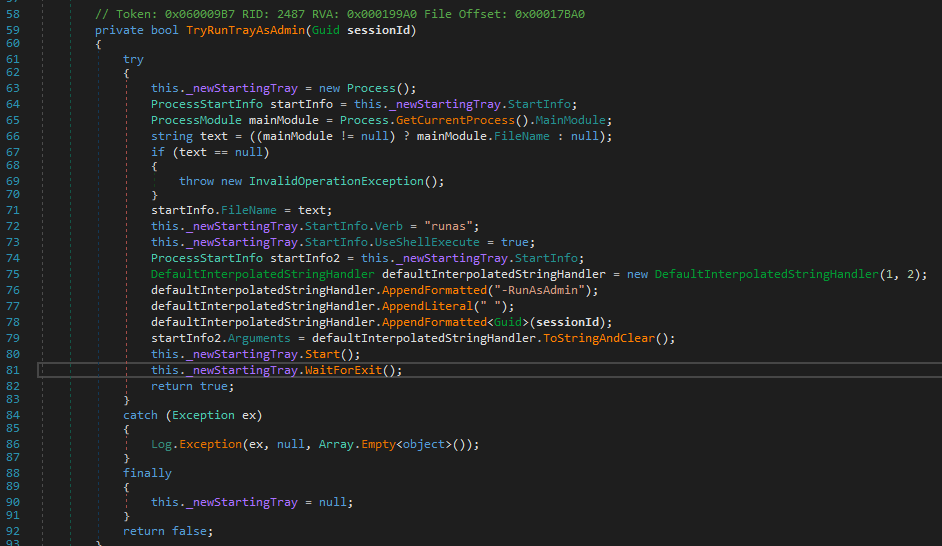
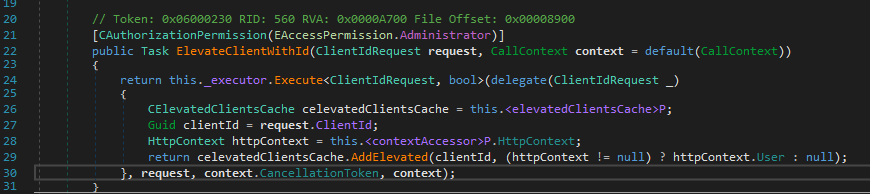
When -RunAsAdmin flag is used, HandleRunAsAdmin() function in CStartUpHelper.cs is called and it calls ElevateClientWithId() with the SessionUID.
1
2
3
4
5
6
7
8
9
10
11
12
13
14
15
16
17
public bool HandleRunAsAdmin()
{
	if (!IsRunAsAdmin)
	{
		return false;
	}
	try
	{
		SVeeamBackupService.Instance.Session.GetElevationRightsService().ElevateClientWithId(TraySessionId);
		SVeeamBackupService.Instance.Dispose();
	}
	catch (Exception ex)
	{
		Log.Exception(ex, null);
	}
	return true;
}
ElevateClientWithId() stores the entire admin ClaimsPrincipal in a global dictionary called CElevatedClientsCache which is keyed by the GUID. (Line 29)
Currently, we have enough information to understand the vulnerability:
- we have full control over
session UIDas it is set client-side - if we are plain
Userbut the session UID we sent is in the cache, it grants admin rights sinceHasAdminRights()is GUID based - session UID can be spoofed, as it is not binded to a identity or connection
So 2 things left:
- How to obtain a valid session UID?
- In which timeframe we have to use the obtained UID?
Obtaining a Valid Session UID
Win32_Process.CommandLine
One thing came to mind is, knowing TryRunTrayAsAdmin() relaunches the same process as a child process, we can try to read the process.CommandLine using WMI.
But unfortunetly, standart Users can only read their own processes unless they hold SeDebugPrivilege.

Svc.VeeamEndpointBackup.log
Looking at the celevatedClientsCache.AddElevated() method, after adding the GUID to cache it prints GUID to a log file.
1
2
3
4
5
6
7
8
9
10
11
12
13
14
15
public bool AddElevated(Guid requestClientId, ClaimsPrincipal principal)
{
	if (this._elevatedClients.TryAdd(requestClientId, principal))
	{
		LogScope log = this._log;
		LogLevels logLevels = LogLevels.AboveNormal;
		DefaultInterpolatedStringHandler defaultInterpolatedStringHandler = new DefaultInterpolatedStringHandler(24, 1);
		defaultInterpolatedStringHandler.AppendLiteral("Added elevated client '");
		defaultInterpolatedStringHandler.AppendFormatted<Guid>(requestClientId);
		defaultInterpolatedStringHandler.AppendLiteral("'");
		log.Message(logLevels, defaultInterpolatedStringHandler.ToStringAndClear(), Array.Empty<object>());
		return true;
	}
	return false;
}
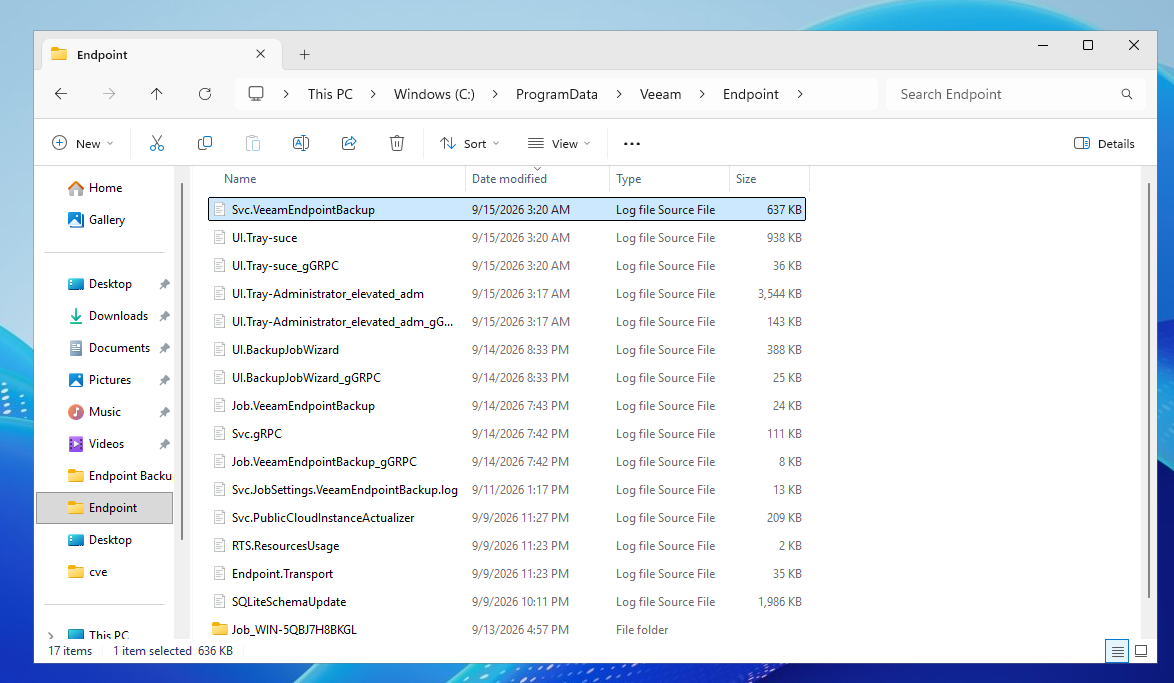
After little search, the log file is C:\ProgramData\Veeam\Endpoint\Svc.VeeamEndpointBackup.log.
This file is also readable by every user, meaning we can read every elevated session UID as a low privileged user.
Timeframe to Obtain Session UID
Inspecting the HandleElevation() method, elevated client is removed from cache when SNamedPipeHelper.OnDisconnect() is called. (Line 51)
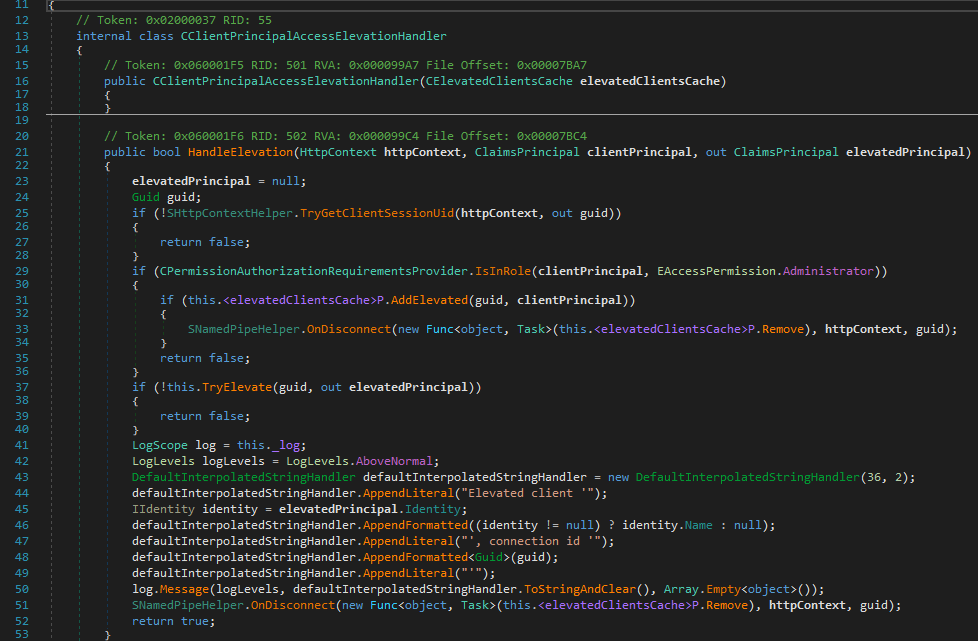
So the timeframe is after when the elevated client is added to cache but before the tray is closed, timeout due to idle or logged off completely.
Conclusion
That was a long code reading session similar to my previous Veeam post.
If you have read this far, hope you enjoyed it and learned something!
Here is the POC, printing whoami as NT Authority\SYSTEM to a file.
Keep in mind, a active and valid session UID is required for this to work.