CVE_2026_44963 Veeam RCE
Veeam Remote Code Execution (RCE) on the Backup Server by an authenticated domain user.

Introduction
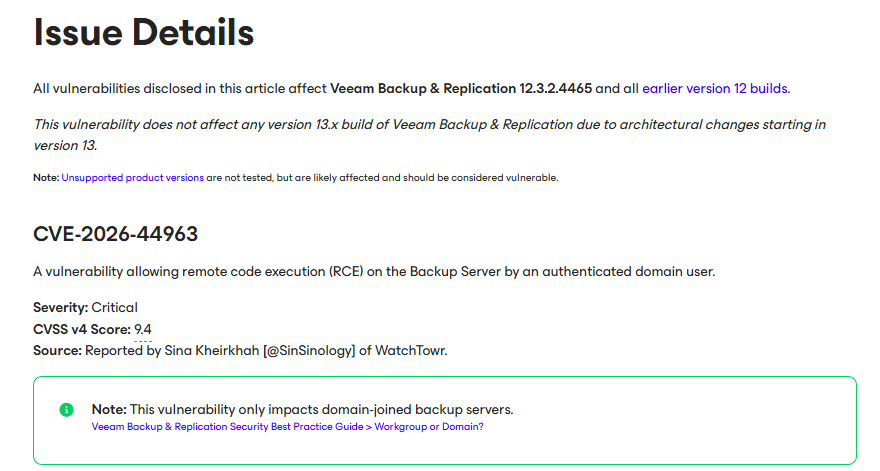
Every sysadmin is familiar with Veeam’s enterprise backup solution, Veeam Backup & Replication. Unfortunately, so is attackers. Today, we’re going to look at the latest vulnerability - CVE-2026-44963. This vulnerability was reported by Sina Kheirkhah @SinSinology of WatchTowr. Veeam advisory tells us that it affects version 12.3.2.4465 and below also fully patched at 12.3.2.4854. WatchTowr has already published 2 blog posts about previous RCEs, CVE-2024-40711 and CVE-2025-23120 which been a big help for understanding the .NET Remoting internals and .NET deserialization. Don’t forget to check them out.
Let’s start!
.NET Deserialization
As we know, Deserialization is the process of converting data that’s been stored or transmitted in a serialized format (usually a flat sequence of bytes, or a text format like JSON/XML) back into a usable object. It is needed because systems and services can’t share memory directly. And as most things, uncontrolled deserialization never ends good. This is why, one should always control which classes should and shouldn’t deserialize. The best practice is to implement a whitelist, which only allows the selected classes. Although Veeam technically does this, it uses both whitelist and blacklist… Blacklists are flawed because you have to have a list of all bad classes in the world, even though it’s really hard to find new deserialization gadgets. But when we think about the huge code bases these products have (before we even come to 3rd party libraries they use), there is always a class that is forgotten.
Veeam .NET Remoting
Veeam Backup & Replication relies on .NET Remoting heavily with a lot of Veeam Services which all running as NT Authority/SYSTEM. These interfaces ‘are’ really hard to exploit beacuse of their ‘strong’ deserialization binders.
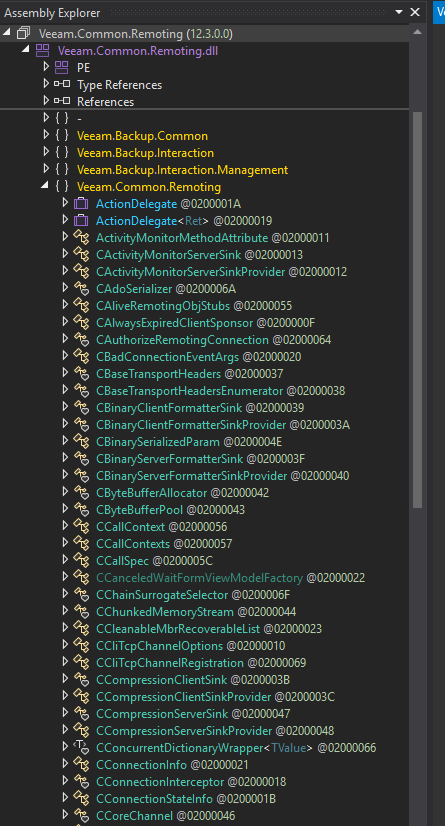
Implementing your own .NET Remoting servers is a thing thats seen frequently. (just use gRPC or WCF instead!1!) Veeam also had implemented their own custom .NET Remoting servers as we can see in Veeam.Common.Remoting.dll below.
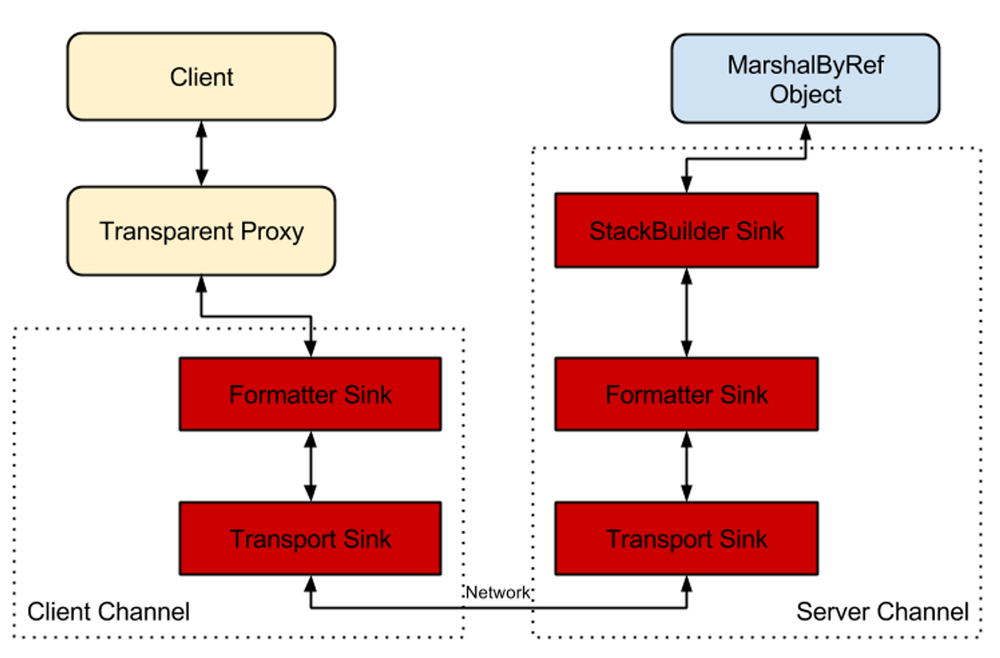
As you can see from the below diagram, borrowed from James Forshaw’s blogpost, there are two key elements here: Transport Sink and Formatter Sink. Transport Sink is simply a class derived from either IServerChannelSink or IClientChannelSink, depending on which side of the communication we are in. It will take care of handling the .NET Remoting packets with methods such as ProcessMessage() and Formatter Sink will handle the deserialization.
So Veeam has done this, implementing their own Transport Sink in Veeam.Common.Remoting.CBinaryServerFormatterSink class. Which extends the interface IServerChannelSink we talked about earlier.
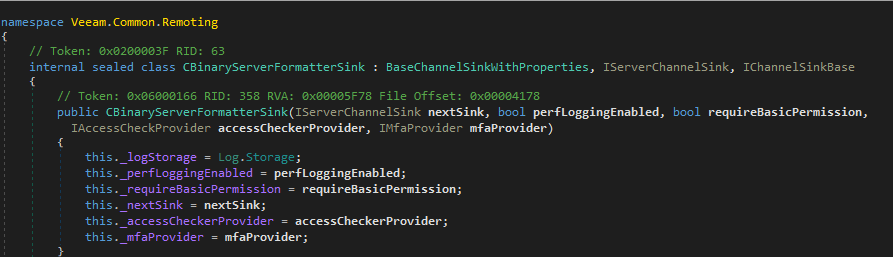
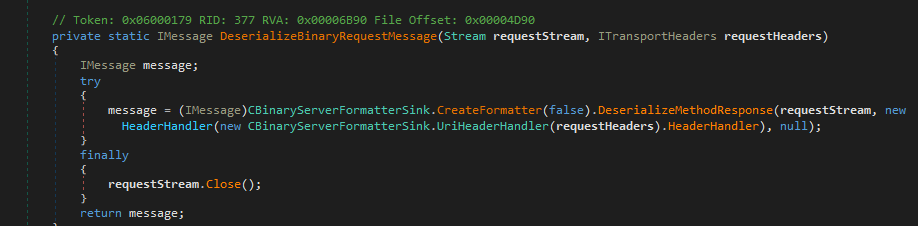
It also has its own implementation of the ProcessMessage method which at the end, calls the deserialize method on requestStream object we sent to Transport Sink : DeserializeBinaryRequestMessage(). Looking at the DeserializeBinaryRequestMessage() method, it looks simple, it just creates Formatter Sink we mentioned earlier to deserialize deserialize our object.
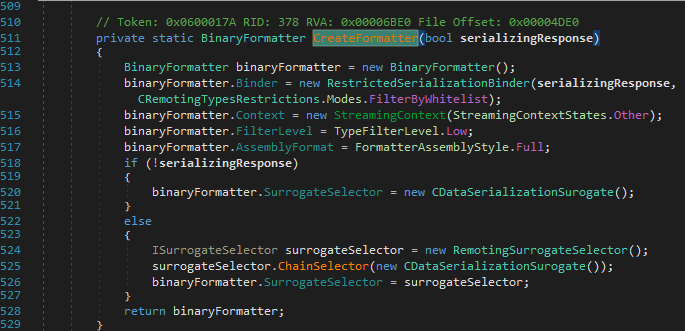
It creates the Formatter Sink using BinaryFormatter which is usually how they are made in .NET Remoting. It also assigns the Binder property of the BinaryFormatter to a RestrictedSerializationBinder class to protect against deserialization attacks. So by using this binder, they can control what to be deserialized. Not to forget, we can see at line 514 this binder uses RestrictedSerializationBinder.Modes.FilterByWhitelist to control, which will be important later on. They also assign the FilterLevel property of the BinaryFormatter to TypeFilterLevel.Low.
At this point, we can at least understand a little how .NET Remoting works. So lets continue with a small recap of CVE-2026-44963.
CVE-2024-40711 Recap
System.Runtime.Remoting.ObjRef
System.Runtime.Remoting.ObjRef is a well known .NET deserialization gadget created by Markus Wulftange. Using this attacker can send a malicious ObjRef in the request the server deserializes it, creates a transparent proxy and the proxy triggers a back connection. Using the connection, we can deliver BinaryFormatter or SoapFormatter payloads.
A moment ago, i mentioned Veeam uses RestrictedSerializationBinder with FilterByWhitelist and TypeFilterLevel.Low. Even if ObjRef is in whitelist, TypeFilterLevel.Low blocks (does it really though?) the following as you can see in James Forshaw’s blogpost.
In simple terms enabling Low (which is the default) over Full results in the following restrictions:
  Object types derived from MarshalByRefObject, DelegateSerializationHolder, ObjRef, IEnvoyInfo and ISponsor can not be deserialized.
  All objects which are deserialized must not Demand any CAS permission other than SerializationFormatter permission.
CProxyBinaryFormatter
CProxyBinaryFormatter is Veeam’s internal helper class for serializing/deserializing application objects via BinaryFormatter, with two distinct security modes.
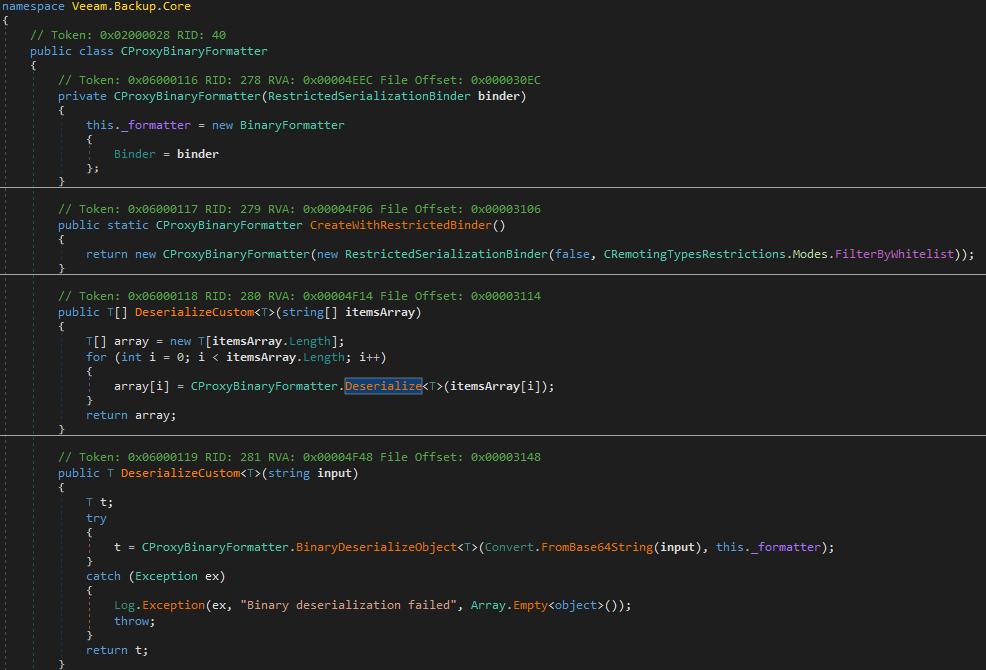
First is DeserializeCustom<T>(string input) instance method, it uses _formatter property of CProxyBinaryFormatter object which is instantiated with the FilterByWhiteList.
Second is Deserialize<T>(string input) static method, it uses a fresh new BinaryFormatter { Binder = new RestrictedSerializationBinder(false, FilterByBlacklist) }.
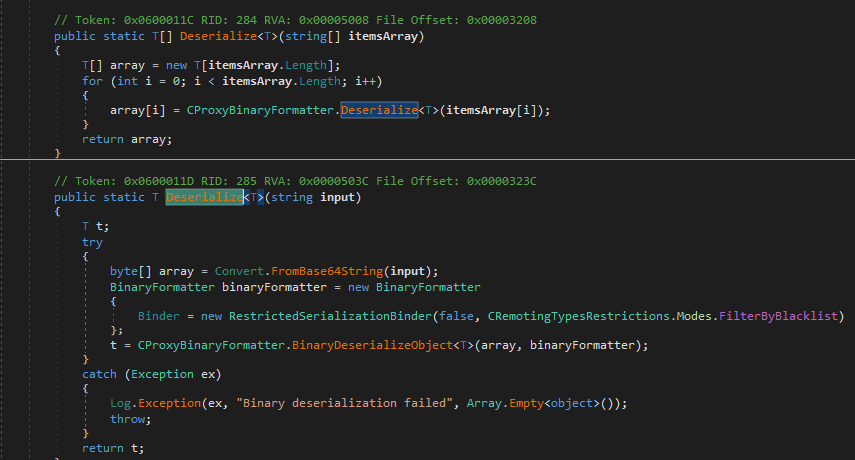
So as long as we find a gadget that is not in the blacklist (which is ObjRef in this Veeam version), we can reach the Deserialize<T>(string input) method to deserialize our object.
So only thing here left is, how do we reach Deserialize<T>(string input) method?
CDbCryptoKeyInfo
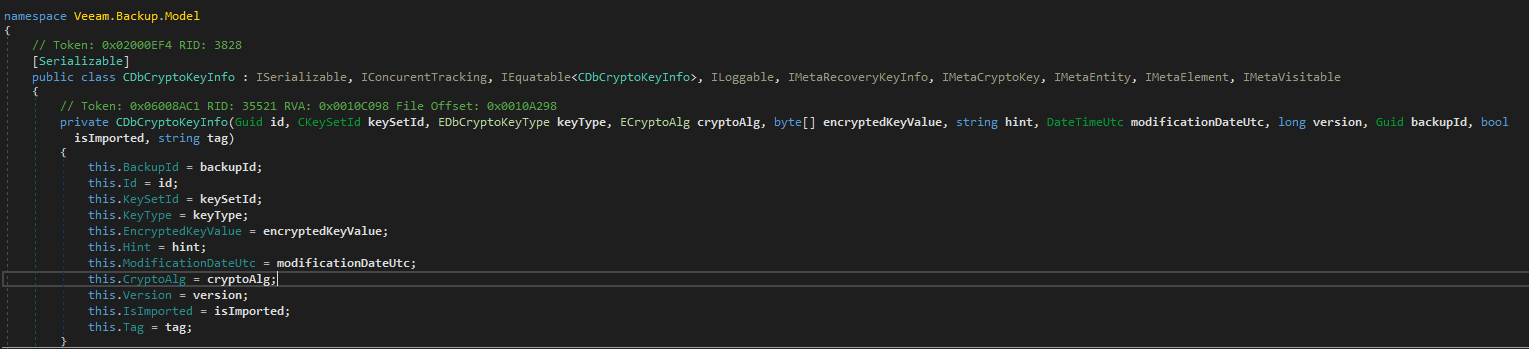
Looking into class CDbCryptoKeyInfo, which we found by cross-referencing classes that uses our Deserialize<T>(string input) method and classes also are in WhiteList, we can see it’s a Serializable class meaning our method is automatically called when we deserialize this object. Perfect!
Putting Everything Together
It’s been a long code reading session but what we understood so far? Here is the current attack flow :
- Create a
CDbCryptoKeyInfoobject to bypassCBinaryServerFormatterSinkwhitelist CProxyBinaryFormatter.DeserializeCustommethod is called on theCDbCryptoKeyInfoobject- Reach the internal deserialization
Deserialize<T>(string input)method, which is controlled by ablacklist ObjRefnested inside theCDbCryptoKeyInfois deserialized through blacklist- Get connection back from
ObjRefto our server - Use the server to serve malicious payload
- RCE is obtained
Nice!
Let’s continue with CVE-2025-23120. Knowing that we are familiar with the RCE chain, it won’t take long.
CVE-2025-23120 Recap
After the previous changes, Veeam extended the blacklist again :
1
2
3
System.Runtime.Remoting.ObjRef
System.CodeDom.Compiler.TempFileCollection
System.IO.DirectoryInfo
So can we find more?
EsxManager.xmlFrameworkD
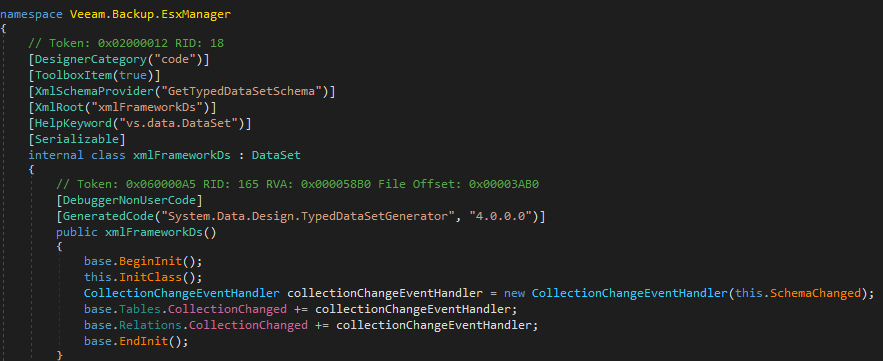
Looking into Veeam.Backup.EsxManager.xmlFrameworkD, we can see that it extends DataSet class which is also a known deserialization gadget.
Core.BackupSummary
Another one is : Veeam.Backup.Core.BackupSummary which extends the same DataSet class.
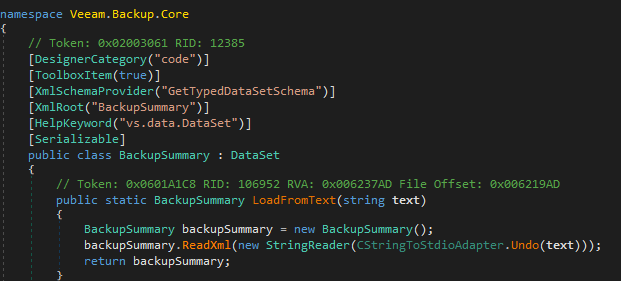
Replacing the ObjRef in CVE-2024-40711 with Veeam.Backup.EsxManager.xmlFrameworkD or Veeam.Backup.Core.BackupSummary and modifying it a little, RCE can be obtained again.
Now let’s continue with the final part: CVE_2026_44963.
CVE_2026_44963
Patch Diffing
Decompiling the source code and patch diffing, we see interesting removals not in blacklist but in whitelist!
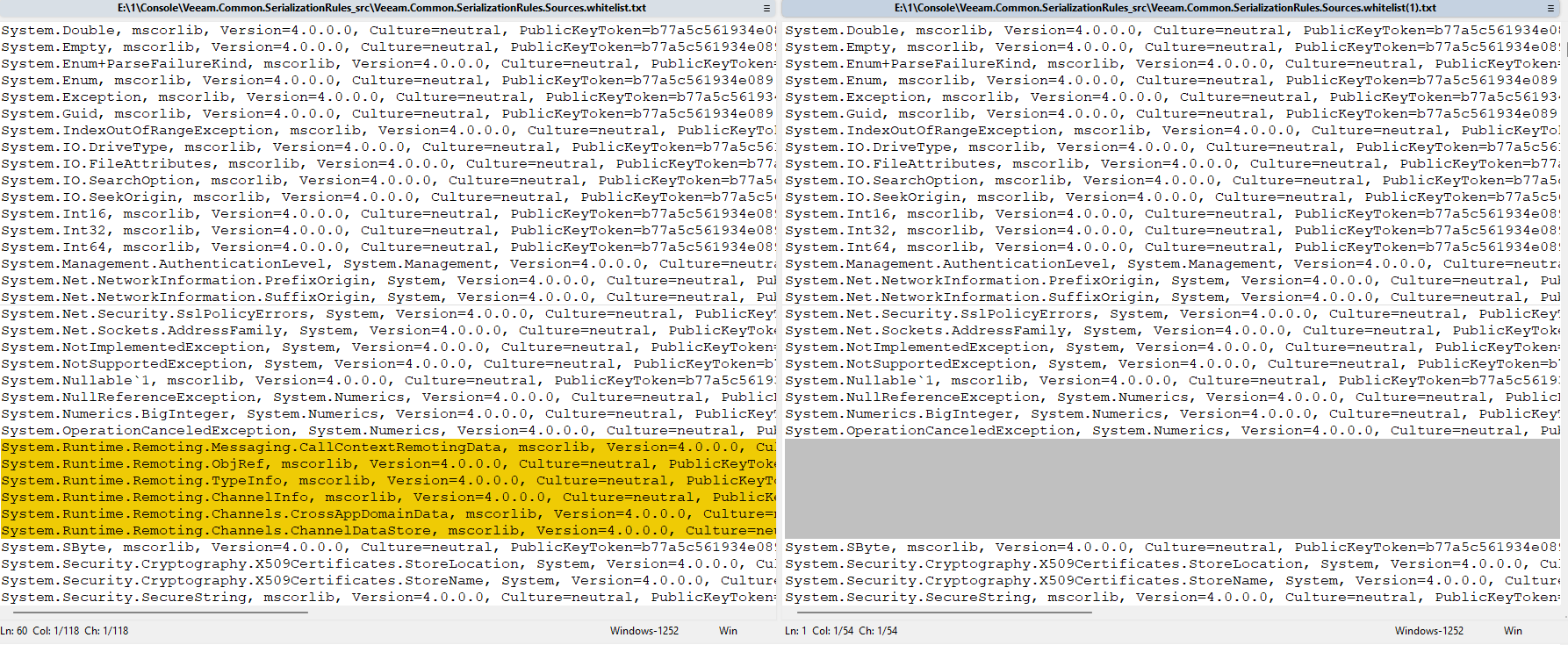
Also as we can see CDbCryptoKeyInfo is still remains in whitelist.
1
Veeam.Backup.Model.CDbCryptoKeyInfo, Veeam.Backup.Model, Version=12.3.0.0, Culture=neutral, PublicKeyToken=bfd684de2276783a
So what is happening?
Wasn’t ObjRef already blocked by TypeFilterLevel.Low?
Can we still use CDbCryptoKeyInfo ?
Veeam Silent Patch
Not exactly sure where but somewhere between v12.3.0.310 and v12.3.2.4465, RepairRecs in CDbCryptoKeyInfo.cs changed from string[] (BinaryFormatter blacklist) to string (XML). Custom XML deserializer is used now so no BinaryFormatter, no blacklist bypass. The bridge is dead. We have to find something else to bypass whitelist. Check the line //[1].
Before
1
2
3
4
5
6
7
8
9
10
11
12
13
14
15
protected CDbCryptoKeyInfo(SerializationInfo info, StreamingContext context)
    {
          this.Id = (Guid)info.GetValue("Id", typeof(Guid));
          byte[] array = (byte[])info.GetValue("KeySetId", typeof(byte[]));
          this.KeySetId = new CKeySetId(array);
          this.KeyType = (EDbCryptoKeyType)((int)info.GetValue("KeyType", typeof(int)));
          this.EncryptedKeyValue = Convert.FromBase64String(info.GetString("DecryptedKeyValue"));
          this.Hint = info.GetString("Hint");
          this.ModificationDateUtc = info.GetDateTime("ModificationDateUtc").SpecifyDateTimeUtc();
          this.CryptoAlg = (ECryptoAlg)info.GetInt32("CryptoAlg");
//[1]     this._repairRecs = CProxyBinaryFormatter.Deserialize<CRepairRec>((string[])info.GetValue("RepairRecs", typeof(string[]))).      ToList<CRepairRec>();
          this.Version = info.GetInt64("Version");
          this.BackupId = (Guid)info.GetValue("BackupId", typeof(Guid));
          this.IsImported = info.GetBoolean("IsImported");
    }
After
1
2
3
4
5
6
7
8
9
10
11
12
13
14
15
16
protected CDbCryptoKeyInfo(SerializationInfo info, StreamingContext context)
		{
			CProxyBinaryFormatter.CreateWithRestrictedBinder();
			this.Id = (Guid)info.GetValue("Id", typeof(Guid));
			byte[] array = (byte[])info.GetValue("KeySetId", typeof(byte[]));
			this.KeySetId = new CKeySetId(array);
			this.KeyType = (EDbCryptoKeyType)((int)info.GetValue("KeyType", typeof(int)));
			this.EncryptedKeyValue = Convert.FromBase64String(info.GetString("DecryptedKeyValue"));
			this.Hint = info.GetString("Hint");
			this.ModificationDateUtc = info.GetDateTime("ModificationDateUtc").SpecifyDateTimeUtc();
			this.CryptoAlg = (ECryptoAlg)info.GetInt32("CryptoAlg");
//[1]	    this._repairRecs = this.Desirialize((string)info.GetValue("RepairRecs", typeof(string)));
			this.Version = info.GetInt64("Version");
			this.BackupId = (Guid)info.GetValue("BackupId", typeof(Guid));
			this.IsImported = info.GetBoolean("IsImported");
		}
Bypassing TypeFilterLevel.Low
First of all, let’s look at how does TypeFilterLevel.Low even work in the first place?
As i mentioned at the beginning, the CreateFormatter() inside DeserializeBinaryRequestMessage() created a BinaryFormatter with a whitelist and TypeFilterLevel.Low. We bypassed the whitelist beacuse ObjRef is in whitelist in current Veeam version v12.3.2.4465 .
Let’s keep digging.
After BinaryFormatter is created, DeserializeMethodResponse() method is called.
DeserializeMethodResponse() looks simple, it just calls BinaryFormatter.Deserialize().

This method calls another Deserialize() method as we can see at line 223.
In this method, we can see a objectReader object is created (line 243) with the following properties, which at the end calls its own Deserialize() method (line 245):
this.m_binderwhich has ourwhitelistfromCreateFormatter()InternalFEobject which contains ourTypeFilterLevel.Low
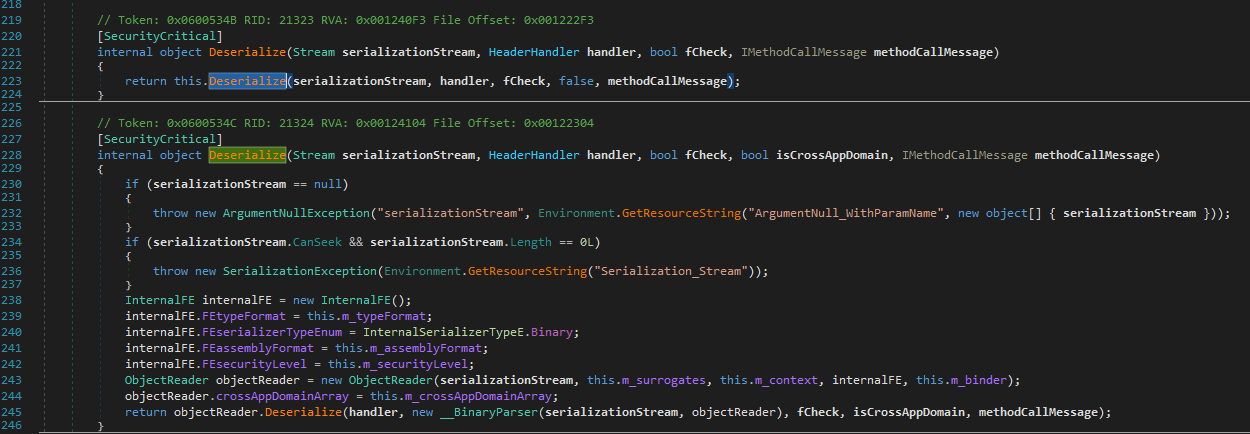
Almost there. Inside objectReader.Deserialize(), we can see flags bMethodCall (line 99) and bReturnCall (line 100) are set. At line 108, we see serParser.Run() to read objects inside our stream.
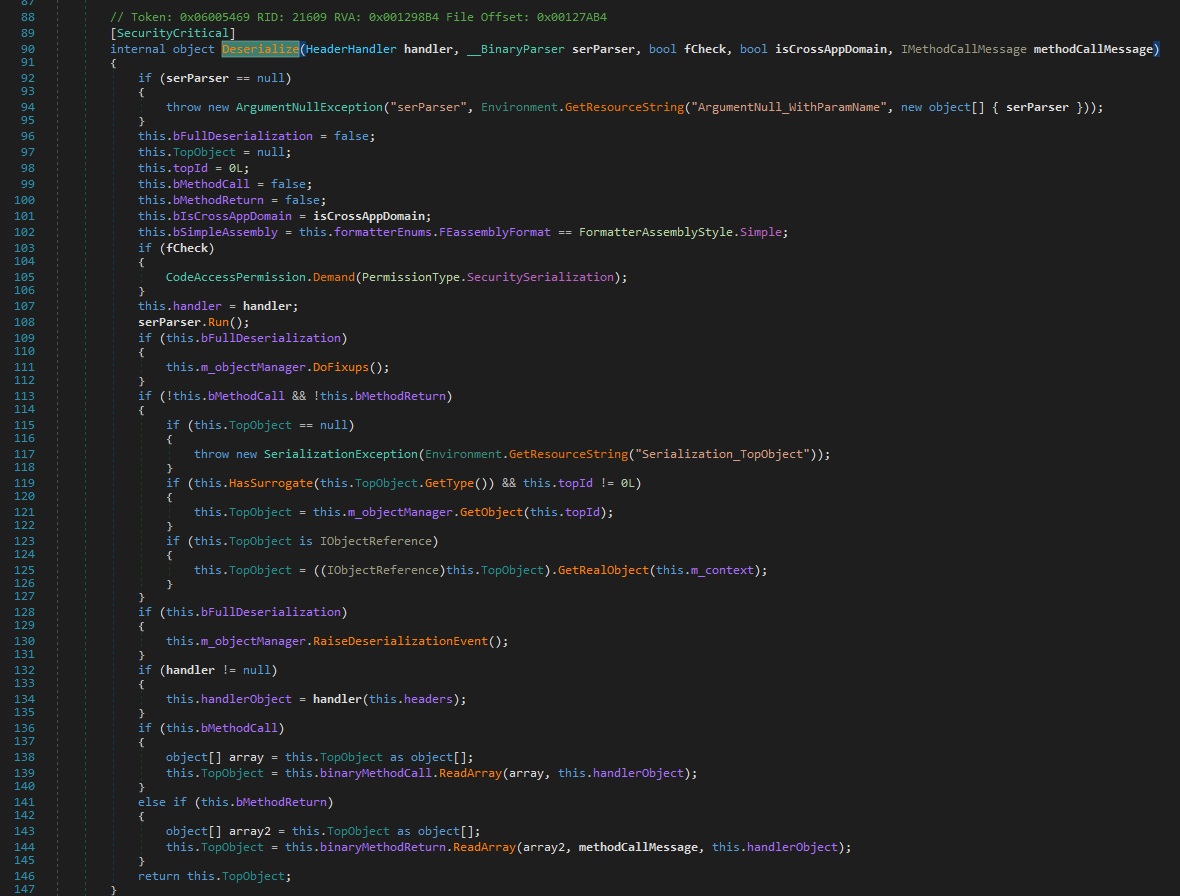
serParser.Run() method is huge so i’m going to explain briefly. During serParser.Run(), the parser reads each binary record in the stream. For each object record, it calls ParseObject(), which eventually calls CheckSecurity() (line 279) :
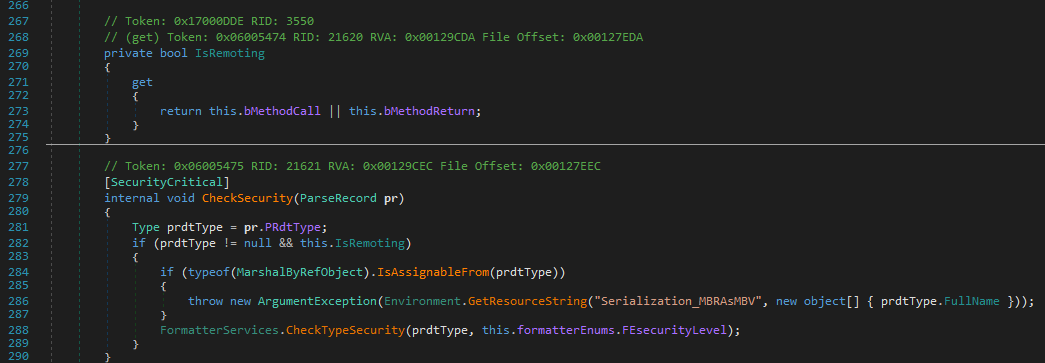
in CheckSecurity(), we see that if our object has IsRemoting == true (line 282), FormatterServices.CheckTypeSecurity() enforces TypeFilterLevel.Low. This blocks our ObjRef but if IsRemoting == false we skip this check entirely. Nice!
So only question left is : When does bMethodCall or bMethodReturn get set to true?
The methods, set these are : SetMethodCall() and SetMethodReturn() in the same class. These are used in ReadMethodObject().
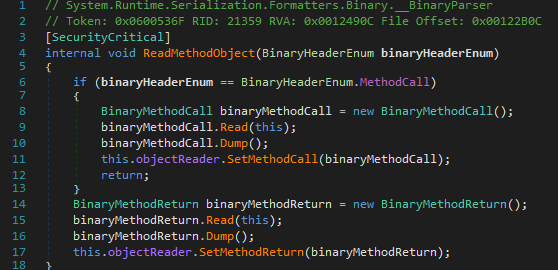
ReadMethodObject() is only called when the parser encounters a BinaryHeaderEnum.MethodCall (0x21) or BinaryHeaderEnum.MethodReturn (0x22) record in the wire stream.
So the only thing we need to do is : send a non-MethodCall BinaryFormatter stream while creating the our payload!
Privileges Required to Reach
We are attacking the Veeam Mount Service at port 6170 which has the authorization checks implemented in Veeam.Backup.MountServiceLib.CMountServiceAccessChecker.HasAccess() method. At line 28, it checks if the user belongs to the WindowsBuiltInRole.User group. If yes, returns true.
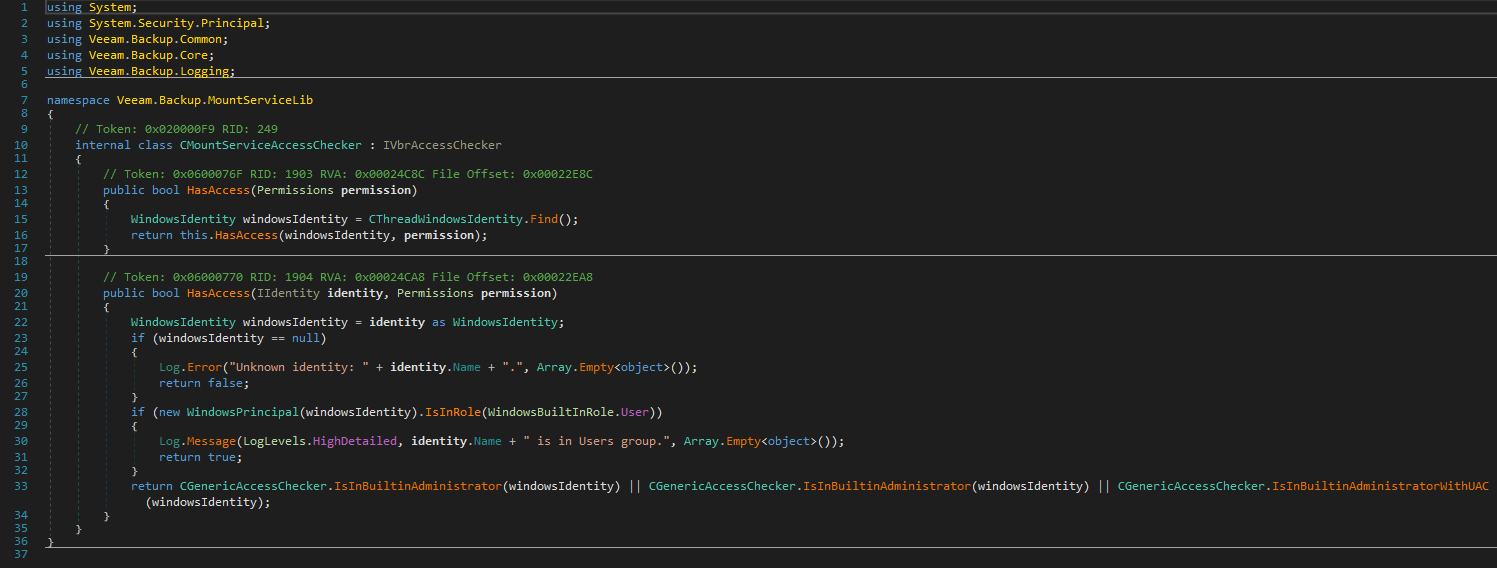
When a computer joins the active directory, the Domain Users group is added to the local Users group. So as long as the AD server doesn’t have hardened AD configuration, which doesn’t add domain users to the Users group, Transport Sink is reachable by any domain user.
Conclusion
That was a complex vulnerability which required a lot of code reading! We have talked about all 3 CVEs, .NET Remoting Internals and .NET Deserialization. If you have read this far, hope you enjoyed it and learned something!
To mitigate exploitation of these vulnerabilities :
1
2
3
Don't forget to update your Veeam to latest version.
Don't join your production domain with Veeam Backup & Replication server. Either use a Workgroup or a Seperate Management Domain.
Set up MFA (Multi Factor Authentication)
Speaking of exploitation, here is the full POC, opening a notepad.exe under Veeam Mount Service (NT Authority/SYSTEM) from a remote host.